
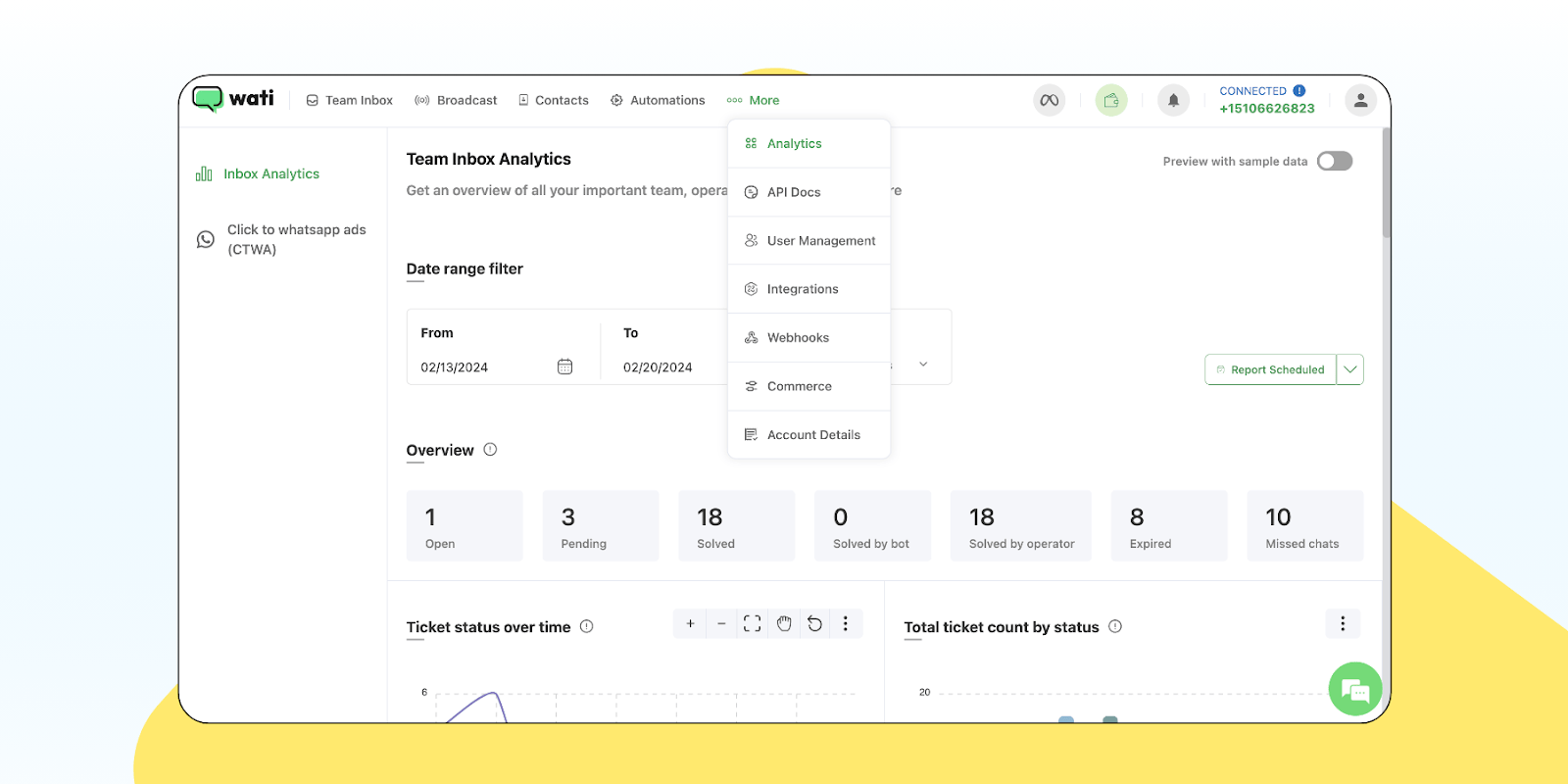
WATI Review 2026: WhatsApp API, Automation, Pricing & Is It Worth It?
WhatsApp is no longer just a messaging app for personal conversations. For many businesses, it has become a major channel for customer inquiries, product recommendations, appointment bookings, order updates, and sales follow-ups.
But managing hundreds of WhatsApp conversations manually can become difficult.
Imagine running an online store where customers constantly ask about product availability, delivery dates, payment options, and discounts. Or operating a digital marketing agency where every new lead needs a quick response.
This is where WATI WhatsApp Business API software comes into the picture.
WATI is a customer engagement platform that helps businesses manage WhatsApp communication, automate conversations, organize leads, send approved marketing campaigns, and collaborate through a shared inbox.
But is WATI worth paying for in 2026? How much does WATI cost? Can you send bulk WhatsApp messages? Does it support AI chatbots? And is it better than alternatives such as Interakt, AiSensy, and other WhatsApp automation platforms?
In this detailed WATI Review 2026, we’ll explore its features, pricing structure, WhatsApp Business API setup, chatbot automation, integrations, advantages, disadvantages, and real-world business use cases.
Quick Verdict: WATI is worth considering for businesses that receive regular customer inquiries and need a structured way to manage WhatsApp marketing, sales, and support. However, subscription fees, message charges, add-ons, and WhatsApp policy requirements mean it may not be the most economical choice for every small business.
🚀 EXPLORE WATI WHATSAPP AUTOMATION PLANS
Compare current packages, features, and trial eligibility before choosing a plan.
Affiliate Disclosure: WhiteWhoop may earn a commission when readers purchase or subscribe through qualifying links. This article is an editorial review based on published product information and research, not a claim of personally testing every WATI feature.
1. What Is WATI?
WATI is a business messaging and customer engagement platform built around WhatsApp and other supported communication channels.
It helps businesses manage conversations through a centralized interface instead of relying entirely on one employee’s smartphone.
Its tools include:
- WhatsApp Business Platform connectivity.
- Shared team inbox.
- WhatsApp marketing campaigns.
- Automated chatbot workflows.
- Customer contact management.
- Lead qualification.
- Customer support automation.
- AI-assisted responses.
- Campaign analytics.
- Third-party integrations.
WATI also supports additional communication channels and features depending on the product and subscription.
WATI at a Glance
Product: WATI
Category: WhatsApp Business API and customer engagement software
Best For: Businesses managing recurring customer conversations
Main Features: Automation, shared inbox, campaigns, chatbots, AI, integrations
Plan Categories: Growth, Pro, Business
Trial: A seven-day trial is described in WATI’s documentation, subject to eligibility and current terms
Billing: Subscription charges, applicable messaging charges, and possible add-ons
Official Website: https://www.wati.io/
Who Should Consider WATI?
WATI may be suitable for:
- E-commerce businesses.
- Digital marketing agencies.
- Real estate companies.
- Coaching institutes.
- Educational businesses.
- Healthcare appointment teams.
- Travel agencies.
- Local service providers.
- Online course sellers.
- Customer support teams.
- Growing sales organizations.
The strongest reason to consider WATI is not simply sending more messages. It is creating a more organized customer communication process.
2. How Does WATI WhatsApp Business API Work?
The WhatsApp Business Platform allows eligible businesses to manage customer conversations using approved software and integrations.
WATI provides a platform for connecting and managing these conversations.
Step 1: Create a WATI Account
Visit WATI and select an available plan or trial.
Step 2: Connect Your Business
Complete the applicable business and Meta onboarding requirements.
Step 3: Configure Your WhatsApp Number
Follow the supported number connection process.
Number eligibility, existing WhatsApp setup, and migration requirements can vary.
Step 4: Set Up the Team Inbox
Configure access for employees who will manage conversations.
Step 5: Create Automated Responses
Build workflows for common inquiries.
Step 6: Add Customer Contacts
Import or capture contacts using supported methods and appropriate consent.
Step 7: Create Approved Message Templates
Business-initiated messages outside the customer service window generally require approved templates.
Step 8: Launch Campaigns
Send compliant campaigns to eligible recipients.
Step 9: Monitor Performance
Review message delivery, customer engagement, and sales outcomes.
Example
A coaching institute receives 50 inquiries about a digital marketing course.
Instead of manually answering identical questions, a chatbot can ask students about their interests, provide basic course information, and pass qualified inquiries to a counselor.
For businesses selling educational products, our FreshLearn Review explores another tool for creating and delivering online courses.
3. WATI Pricing 2026: How Much Does It Cost?
WATI’s pricing deserves careful attention because the subscription fee is not necessarily the total monthly cost.
Its published pricing structure includes Growth, Pro, and Business plans.
The exact amount depends on factors such as billing frequency, region, selected plan, usage, and optional add-ons.
Growth Plan
The Growth tier is positioned toward businesses beginning to organize customer conversations and automate basic workflows.
Its published features include foundational automation, team communication, and selected integrations.
This may be appropriate for a small business that wants to move beyond manual WhatsApp replies.
Pro Plan
The Pro tier adds more advanced sales, automation, analytics, and integration capabilities.
Published plan descriptions include advanced chatbots, lead qualification, campaign features, and expanded team functionality.
Business Plan
The Business tier targets organizations with more complex communication and operational requirements.
Depending on the current package, it may include advanced controls, expanded capabilities, and higher-level support.
Important: WATI Pricing Has Multiple Components
Your total cost may include:
- WATI subscription fee.
- WhatsApp message charges.
- Additional team members.
- AI or chatbot add-ons.
- Automation usage.
- Additional WhatsApp numbers.
- Applicable taxes.
Example Monthly Budget
Suppose your business selects a WATI subscription and sends thousands of WhatsApp messages each month.
Your cost depends not only on the subscription but also on the type and number of chargeable messages.
Marketing templates, utility templates, authentication templates, and service messages may be billed differently.
Is There a WATI Free Plan?
Do not assume WATI offers a permanently free business plan.
WATI documents a seven-day trial, but trial restrictions and current availability should be checked before registration.
Pricing Verdict
WATI can provide value when automation saves staff time or improves customer response management.
However, a business with very few monthly inquiries should compare the subscription and messaging costs against the simpler WhatsApp Business app.
💬 CHECK WATI PRICING & AVAILABLE TRIAL OPTIONS
Review the current subscription, messaging rates, and included features.
4. WhatsApp Business API Pricing Changes in 2026
This is one of the most important details for businesses considering WATI.
WhatsApp Business Platform pricing has changed significantly over time.
Message-Based Pricing
Meta moved to a message-based pricing model for template messages in July 2025.
Different categories can carry different charges.
Major October 2026 Update
According to WATI’s October 2026 documentation, service messages and utility templates within the customer service window became billable under updated rules.
A limited monthly free service-message allowance is described in WATI’s documentation.
What This Means for Businesses
You should not assume that every customer support reply is free.
Instead, calculate expected costs based on:
- Customer service messages.
- Marketing templates.
- Utility templates.
- Authentication templates.
- Destination market.
- Monthly message volume.
- Applicable free allowances.
- Special entry-point rules.
Why This Matters
A company sending 10,000 messages each month may have a very different total cost from a small shop sending 300.
Practical Tip
Ask WATI for an estimated monthly bill based on your actual message volume before purchasing.
5. WATI Shared Team Inbox
One of WATI’s main features is its shared inbox.
This allows multiple authorized team members to manage customer conversations from a centralized workspace.
What Can Teams Do?
- View incoming conversations.
- Assign chats to agents.
- Add internal notes.
- Review conversation history.
- Organize customer inquiries.
- Apply routing rules.
- Monitor team activity.
Example: Digital Marketing Agency
A digital marketing agency receives inquiries for:
- Website development.
- SEO services.
- Google Ads.
- Meta Ads.
- Social media management.
Instead of one employee managing every conversation, different agents can handle relevant inquiries.
Why It Matters
A shared inbox can reduce confusion when several employees communicate with customers.
However, better software alone does not guarantee faster responses. Your team still needs clear processes and accountability.
For companies exploring broader business calling solutions, see our Aircall Review 2026.
6. WATI WhatsApp Chatbot Builder
WATI provides no-code chatbot capabilities.
A chatbot can guide customers through common questions without requiring an employee to type every response.
Common Chatbot Tasks
- Welcome new customers.
- Ask qualifying questions.
- Provide service information.
- Collect contact details.
- Share approved links.
- Route conversations.
- Trigger follow-up workflows.
Example: Website Development Inquiry
Customer: “I need a website.”
Chatbot: “What type of website are you looking for?”
Options:
- Business website.
- E-commerce website.
- Portfolio website.
- Custom web application.
The next question could collect a budget range or preferred timeline.
A salesperson can then review the lead and respond personally.
Is Coding Required?
WATI offers a visual chatbot builder for supported workflows.
However, advanced integrations may require technical configuration or developer assistance.
Plan Limitations
Basic chatbot functions and advanced workflow features may differ by subscription tier.
7. WATI AI Features and Automation
WATI has expanded its AI-related capabilities beyond basic keyword replies.
Its published documentation describes tools such as:
- Ask Wati AI.
- AI-assisted conversation summaries.
- AI editing and translation.
- AI-supported workflow actions.
- Astra AI agents.
- Customer experience insights.
What Is Ask Wati AI?
Ask Wati AI is designed to help authorized users interact with workspace information using natural-language instructions.
What Is Astra?
Astra is an AI-agent offering designed to automate selected customer-facing conversations.
Availability and charges may differ from standard subscription features.
Example
A customer asks whether a product is available.
An appropriately configured AI workflow may provide information from connected business data or escalate the inquiry.
Important Limitations
AI-generated responses can be inaccurate.
Businesses should verify answers involving prices, refunds, healthcare, finance, or contractual commitments.
AI features also require appropriate access controls and data handling.
8. WATI Bulk WhatsApp Messaging
Many businesses search for WATI bulk WhatsApp messaging because they want to communicate with large customer groups.
WATI supports broadcast campaigns using approved workflows and templates.
What Can Businesses Send?
Depending on eligibility and platform rules:
- Product announcements.
- Sale notifications.
- Event reminders.
- Course announcements.
- Appointment updates.
- Customer re-engagement messages.
Is Unlimited Bulk Messaging Allowed?
No business should interpret “unlimited broadcasts” as permission to send unrestricted spam.
WhatsApp policies, recipient consent, messaging limits, template approval, quality ratings, and charges still apply.
Important Compliance Rule
Obtain appropriate permission before sending promotional messages.
Purchased contact databases or unsolicited bulk messaging can lead to complaints and account restrictions.
Best Practice
Send relevant messages to customers who have opted in.
9. WATI WhatsApp Marketing Campaigns
WATI can help businesses organize targeted marketing campaigns.
Common Campaign Types
Welcome Campaigns
Introduce new subscribers to your business.
Product Launches
Notify interested customers about a new product.
Seasonal Promotions
Share offers with eligible contacts.
Abandoned Cart Follow-Ups
Remind customers about incomplete purchases where supported and compliant.
Event Reminders
Send reminders to registered participants.
Customer Retention Campaigns
Communicate with previous buyers who have opted in.
Example
An online clothing store launches a festival collection.
Instead of sending the same message to everyone, the business can segment interested customers and create a relevant campaign.
For broader lead generation strategies, read our Wishpond Review.
10. WATI for Lead Generation
WATI can help organize incoming leads from WhatsApp and supported marketing channels.
Lead Generation Workflow
- A customer sees an advertisement.
- The customer clicks a WhatsApp CTA.
- A conversation begins.
- An automated workflow asks relevant questions.
- The lead is categorized.
- A salesperson receives the inquiry.
- Follow-up activity is recorded.
Example: Real Estate
A property buyer clicks an advertisement.
The chatbot asks:
- Preferred location.
- Property type.
- Budget.
- Purchase timeline.
The sales team can then prioritize suitable inquiries.
Important
Lead qualification improves organization but does not guarantee that every lead will convert.
For another B2B prospecting approach, explore our Waalaxy Review.
11. WATI Click-to-WhatsApp Ads
Click-to-WhatsApp advertisements encourage users to begin a conversation directly from an advertisement.
Potential Benefits
- Lower friction for inquiries.
- Faster initial engagement.
- Direct access to sales teams.
- Automated qualification.
- Campaign source tracking.
Example
A local coaching institute runs a Meta ad promoting an upcoming course.
A student clicks the ad and opens WhatsApp.
The business can ask about the student’s preferred batch and share suitable information.
Important
Advertising costs are separate from WATI subscription charges.
WhatsApp messaging charges and special entry-point rules should also be reviewed.
12. WATI for E-Commerce Businesses
E-commerce stores often handle repetitive questions.
Customers may ask about:
- Product availability.
- Order confirmation.
- Shipping status.
- Payment options.
- Delivery delays.
- Return requests.
- Discounts.
How WATI Can Help
An eligible integration may connect customer information and order workflows with messaging.
Shopify and WooCommerce
WATI lists integrations with popular e-commerce platforms, although supported features depend on the plan and integration.
Example
After a purchase, an eligible order-update workflow can notify a customer through an approved template.
Payment Infrastructure
If you’re building an online store, also read our Razorpay Payment Gateway Review and Cashfree Payment Gateway Review.
13. WATI for Small Businesses in India
Small businesses in India frequently use WhatsApp for customer communication.
Examples include:
- Kirana shops.
- Local retailers.
- Salons.
- Restaurants.
- Coaching classes.
- Repair services.
- Travel agents.
- Property consultants.
When WATI May Be Useful
Consider WATI when:
- You receive many inquiries daily.
- Several employees need WhatsApp access.
- Customers ask repetitive questions.
- You need structured follow-ups.
- You run regular opt-in marketing campaigns.
When It May Be Unnecessary
A small shop receiving only a handful of messages each day may find the ordinary WhatsApp Business app sufficient.
Example: Rice Retailer
A rice seller receives inquiries about Sona Masoori, Kolam, Basmati, and delivery availability.
A chatbot could collect the requested rice variety, quantity, and delivery location before a staff member confirms the order.
This is a practical workflow example, not a guarantee of WATI functionality without configuration.
14. WATI for Digital Marketing Agencies
Digital marketing agencies can use business messaging tools to organize inquiries and customer support.
Potential Use Cases
- Collecting website-development inquiries.
- Qualifying SEO leads.
- Responding to Google Ads prospects.
- Scheduling consultations.
- Sharing service information.
- Routing inquiries to specialists.
- Sending permitted appointment reminders.
Example
A potential client requests SEO services.
A chatbot collects the website URL, business category, and monthly budget.
The agency reviews the information before arranging a consultation.
Complementary Marketing Tools
For keyword research, see our Mangools Review.
For website design, explore our Elementor Review.
For managed hosting, read our Cloudways Review.
15. WATI for Coaching Institutes and Online Courses
Educational businesses often receive inquiries about:
- Course fees.
- Duration.
- Batch schedules.
- Eligibility.
- Certificates.
- Enrollment.
- Demo classes.
Example Workflow
A student messages “Digital Marketing Course.”
An automated conversation can ask about experience level, learning goals, and preferred schedule.
A counselor can then handle the next steps.
Useful Related Tools
Explore our MyCaptain Digital Marketing Course Review for an example of course-related information students may research.
If you’re creating your own online course, see our FreshLearn Review.
16. WATI for Travel Agencies
Travel businesses can receive many inquiries about packages, flight availability, hotel bookings, and travel documents.
Potential Automation
- Destination inquiries.
- Travel date collection.
- Number of passengers.
- Budget range.
- Package preferences.
- Consultation scheduling.
Example
A customer asks for a Dubai holiday package.
A chatbot collects dates, group size, and approximate budget.
An agent can then prepare a relevant quotation.
Related Travel Guides
For airline information, see our Air India Review and Akasa Air Review.
For international mobile connectivity, explore our Simbye eSIM Review.
17. WATI CRM and Contact Management
WATI includes contact-management features that help businesses organize customer information.
Possible Uses
- Categorizing leads.
- Reviewing conversation history.
- Adding tags.
- Creating segments.
- Assigning contacts.
- Tracking follow-ups.
Example
A company might tag contacts as:
- New inquiry.
- Interested.
- Consultation booked.
- Existing customer.
- Follow-up required.
Why This Matters
Organized customer information can help prevent missed inquiries.
However, businesses must handle personal data responsibly and follow applicable privacy requirements.
18. WATI Integrations
WATI advertises integrations with numerous third-party services.
Examples include:
- Shopify.
- WooCommerce.
- HubSpot.
- Salesforce.
- Zoho CRM.
- Zapier.
- Make.
- Google Sheets.
Why Integrations Matter
Businesses may want information to flow between their website, CRM, and customer communication tools.
Example
A customer submits a website inquiry form.
An authorized integration could create or update a contact and trigger an appropriate follow-up workflow.
Website Tools
If you’re building a business website, read our Hostinger Review and AccuWebHosting Review.
For business email, see our Google Workspace Review.
Important
Not every integration or API capability is included in every WATI plan.
19. How to Add WhatsApp Chat to Your Website
A WhatsApp chat widget can make it easier for website visitors to contact a business.
General Setup
- Create a WATI account.
- Complete the required WhatsApp setup.
- Locate the supported website-chat configuration.
- Customize the widget.
- Copy the provided integration instructions.
- Add the widget to your website.
- Test the chat flow.
- Verify mobile responsiveness.
WordPress Websites
WordPress users can follow the available widget integration instructions.
Why It Helps
Visitors can move from reading a product page to asking questions.
Important
Adding a WhatsApp button does not automatically generate qualified leads. Your website still needs useful content, clear offers, and a working follow-up process.
20. How to Set Up Your First WATI Chatbot
Here’s a practical beginner workflow.
Step 1: Identify a Repetitive Question
Example: “What are your service charges?”
Step 2: Create a Conversation Flow
Decide which questions the chatbot should ask.
Step 3: Open the Chatbot Builder
WATI’s documentation describes accessing chatbots through its automation section.
Step 4: Add a Welcome Message
Introduce the business clearly.
Step 5: Add Choices
Allow users to select the service they need.
Step 6: Collect Relevant Details
Ask only for information necessary to help the customer.
Step 7: Route the Inquiry
Assign qualified leads to the relevant person.
Step 8: Test the Workflow
Check different user responses.
Step 9: Review the Conversation
Confirm that the chatbot does not provide misleading information.
Step 10: Improve the Flow
Update questions based on common customer needs.
🤖 EXPLORE WATI AI CHATBOT & AUTOMATION FEATURES
Check which chatbot features are included in your preferred plan.
21. WATI vs WhatsApp Business App
The regular WhatsApp Business app can be suitable for small businesses.
WATI is designed for more structured and scalable workflows.
WhatsApp Business App
Best suited for businesses with relatively simple communication needs.
WATI
More relevant when businesses need shared team access, automation, integrations, campaign management, and structured customer workflows.
Which Should You Choose?
If you manage a few daily inquiries, start by evaluating the free WhatsApp Business app.
If your team handles substantial inquiry volume, WATI may justify further evaluation.
22. WATI vs Interakt
Interakt is another platform businesses may consider for WhatsApp customer engagement.
Compare These Factors
- Subscription fees.
- WhatsApp message charges.
- Chatbot capabilities.
- Team inbox functionality.
- E-commerce integrations.
- Support.
- Analytics.
- Automation limits.
- User allowances.
Verdict
WATI may appeal to teams looking for broader automation and multi-channel capabilities.
Interakt may also be worth comparing, particularly for commerce-focused workflows.
The best choice depends on your specific business requirements and current plan terms.
23. WATI vs AiSensy
AiSensy is another WhatsApp marketing and automation platform.
Important Comparison Points
Pricing: Compare the complete monthly cost.
Campaigns: Check broadcast and segmentation tools.
Chatbots: Compare available automation features.
Integrations: Review compatibility with your existing systems.
Support: Understand response channels and service levels.
Scalability: Consider future team and messaging volume.
Verdict
Neither platform is automatically best for every business.
Request demonstrations and compare realistic usage costs.
24. WATI vs Aircall
WATI and Aircall address different communication needs.
WATI
Primarily relevant to messaging-led customer engagement, WhatsApp workflows, campaigns, and automation.
Aircall
Primarily relevant to cloud business calling and sales or support phone workflows.
Can Businesses Use Both?
A business may use separate messaging and calling systems where appropriate.
However, paying for overlapping tools without a clear need can increase costs.
Read our full Aircall Review 2026 for more information.
25. WATI Pros and Cons
Advantages
1. Shared Team Inbox
Helps multiple agents manage conversations.
2. WhatsApp Automation
Reduces repetitive manual responses.
3. No-Code Chatbots
Supports guided customer workflows.
4. Campaign Management
Helps organize compliant broadcasts.
5. Lead Qualification
Can collect and categorize inquiry details.
6. AI Capabilities
Offers AI-assisted tools and selected AI-agent features.
7. CRM Integrations
Can connect with supported business systems.
8. E-Commerce Support
Useful for selected Shopify and WooCommerce workflows.
9. Reporting Tools
Provides visibility into messaging and campaign activity.
10. Growth Potential
May support teams as communication volume increases.
Disadvantages
1. Subscription Costs
May be expensive for very small businesses.
2. Additional Messaging Charges
The plan fee is not the complete cost.
3. Add-On Expenses
Some advanced capabilities may require additional payment.
4. Setup Complexity
Business onboarding and automation configuration take time.
5. WhatsApp Policy Restrictions
Campaigns must follow platform rules.
6. Learning Curve
Advanced workflows may require training.
7. AI Limitations
Automated answers require monitoring.
8. Integration Differences
Features vary by plan and external service.
9. No Guaranteed Sales
Automation does not ensure conversions.
10. Dependence on Platform Policies
WhatsApp pricing and messaging rules can change.
26. My Blogging and Business Content Creation Gadgets
Business owners and digital marketers often need reliable equipment for online meetings, product demonstrations, video marketing, and content creation.
The following are the publisher’s selected product names and Amazon Associates links. Check each listing for current specifications and compatibility.
HP OmniBook 5 Laptop
The HP OmniBook 5, listed with an Intel Core 5 Series 3 Processor 320, 8GB LPDDR5 RAM, and 512GB storage, is an option to explore for blogging, customer communication, and daily office work.
💻 EXPLORE HP OMNIBOOK 5 ON AMAZON
OnePlus 15R Smartphone
The OnePlus 15R can be considered for mobile business communication, content creation, and everyday productivity.
Sony ECM-AX10 Spatial Audio Microphone
The Sony ECM-AX10 is an audio accessory to investigate for compatible smartphone recording setups.
🎤 VIEW SONY ECM-AX10 MICROPHONE
Digitek DTR 490 LW Foldable Tripod Stand
A tripod can help stabilize compatible devices for recording educational videos or business presentations.
📷 EXPLORE DIGITEK DTR 490 LW TRIPOD
Sony Alpha ZV-E10K
The Sony Alpha ZV-E10K is a camera option for YouTube videos, product demonstrations, and marketing content.
GoPro HERO13
The GoPro HERO13 may be useful for action footage and outdoor business or travel content.
Digitek DWM-116 Wireless Microphone
The Digitek DWM-116 Wireless Microphone is worth exploring for interviews, reels, and business videos.
🎙️ CHECK DIGITEK DWM-116 MICROPHONE
SanDisk Extreme 1TB Portable External SSD
The SanDisk Extreme 1TB Portable External SSD can help store video projects, photographs, and business files.
💾 EXPLORE SANDISK EXTREME 1TB SSD
Ambrane Semi Solid 40000mAh Power Bank
The Ambrane Semi Solid 40000mAh Power Bank is an option to investigate for compatible device charging.
🔋 CHECK AMBRANE 40000MAH POWER BANK
For air travel, verify the power bank’s watt-hour rating and airline restrictions. A 40000mAh unit may exceed common cabin battery limits.
For more content equipment suggestions, read our Best Podcast Equipment for Beginners and Canon EOS R50 Review.
27. WATI for Bloggers, Affiliate Marketers and Creators
Bloggers and creators may use WhatsApp communication to respond to service inquiries or manage interested subscribers.
Example
A blogger offers:
- SEO consulting.
- Website development.
- Content writing.
- Affiliate marketing training.
- Digital marketing services.
A WhatsApp automation workflow can collect inquiries and route them to the appropriate service.
Important
Do not automatically add blog visitors to WhatsApp promotional campaigns.
Marketing messages require appropriate consent.
Useful Marketing Tools
For SEO research, explore our Mangools Review.
For YouTube growth, read our vidIQ Review.
For email marketing, see our AWeber Review and Moosend Review.
Why Combine Channels?
WhatsApp can be useful for direct customer conversations.
Email marketing can support longer-form newsletters and subscriber communication.
Websites can attract visitors through search engines.
Each channel serves a different purpose.
28. Is WATI Safe and Legit?
WATI is a commercially available business communication platform with published product documentation and pricing information.
However, that does not guarantee identical results for every customer.
What Should Businesses Check?
- Official onboarding process.
- Subscription agreement.
- Data processing terms.
- Privacy practices.
- Message pricing.
- Account access permissions.
- Support options.
- Refund and cancellation terms.
- Integration security.
Is WATI an Official WhatsApp App?
WATI is a third-party business platform for WhatsApp Business Platform connectivity, not the ordinary WhatsApp app.
Is WATI a Scam?
There is no basis here to characterize WATI as a scam.
However, buyers should evaluate current terms and independent customer feedback before subscribing.
Data Security Tip
Use appropriate staff permissions and avoid collecting unnecessary sensitive customer information through automated conversations.
29. How to Reduce WATI Costs
The most important cost-saving strategy is choosing features based on actual business needs.
Tip 1: Estimate Monthly Message Volume
Review how many messages your business sends.
Tip 2: Understand Message Categories
Marketing, utility, authentication, and service messages can have different pricing rules.
Tip 3: Avoid Unnecessary Campaigns
Send messages only when they are relevant and permitted.
Tip 4: Improve Targeting
Segment customers based on genuine interests and consent.
Tip 5: Review Automation Limits
Check whether your plan includes sufficient triggers and chatbot usage.
Tip 6: Monitor Additional Users
Avoid paying for unused seats.
Tip 7: Check Add-On Charges
Understand AI, chatbot, and integration costs.
Tip 8: Compare Billing Options
Annual billing may offer a different effective rate from monthly billing.
Tip 9: Track Campaign Performance
Measure meaningful outcomes rather than only messages sent.
Tip 10: Review Your Plan Regularly
Upgrade only when additional features provide clear value.
30. Is WATI Worth It for Small Businesses?
The answer depends on communication volume and business processes.
WATI May Be Worth It If
- You receive frequent customer inquiries.
- Several team members need access.
- You want structured lead qualification.
- You run consent-based WhatsApp campaigns.
- You need integrations.
- You want to automate repetitive support tasks.
WATI May Not Be Worth It If
- You receive very few inquiries.
- One person handles all customer messages easily.
- You do not need campaigns.
- Your budget is extremely limited.
- You have no time to configure workflows.
Example
A company receiving 200 customer inquiries daily may benefit from a shared inbox and automation.
A small shop receiving five inquiries daily may not need the same infrastructure.
31. WATI FAQs: 30 Frequently Asked Questions
1. What is WATI?
WATI is a customer engagement platform offering WhatsApp Business Platform tools, automation, campaigns, and shared team communication.
2. Is WATI free?
WATI documents a trial, but its main business plans are paid.
3. Does WATI offer a free trial?
Its documentation describes a seven-day trial, subject to current terms and eligibility.
4. How much does WATI cost?
Pricing depends on the selected plan, billing period, messaging usage, and add-ons.
5. What are the main WATI plans?
Growth, Pro, and Business are published plan categories.
6. Is WATI suitable for small businesses?
Yes, if the business needs its features and can justify the cost.
7. Does WATI support WhatsApp Business API?
Yes, WhatsApp Business Platform connectivity is a core part of its offering.
8. Can WATI send bulk WhatsApp messages?
It supports compliant broadcast campaigns subject to WhatsApp policies and messaging rules.
9. Can WATI send messages to random numbers?
Unsolicited messaging can violate platform policies. Businesses should use properly consented contacts.
10. Does WATI offer a chatbot?
Yes, WATI provides chatbot-building capabilities.
11. Does WATI support AI chatbots?
It offers selected AI-assisted and AI-agent capabilities, depending on the plan and add-ons.
12. What is Astra in WATI?
Astra is WATI’s AI-agent offering for selected automated customer interactions.
13. Can multiple employees use WATI?
Yes, its shared inbox supports team collaboration, subject to user allowances.
14. Does WATI support Shopify?
WATI lists Shopify among its integrations.
15. Does WATI support WooCommerce?
WooCommerce is among its advertised integrations.
16. Can WATI connect with Google Sheets?
WATI lists Google Sheets among its supported integrations.
17. Does WATI support Zapier?
Yes, Zapier is listed among its integration options.
18. Can WATI automate customer support?
Yes, selected workflows can automate routine customer inquiries.
19. Can WATI help generate leads?
It provides tools for capturing, organizing, and qualifying inquiries.
20. Does WATI guarantee sales?
No. Results depend on the offer, audience, campaign quality, and follow-up process.
21. Are WhatsApp messages free on WATI?
Not necessarily. Applicable messaging charges and free allowances depend on current platform rules.
22. Are service messages charged in 2026?
WATI’s October 2026 documentation describes updated charges and a limited free allowance.
23. Does WATI support WhatsApp marketing campaigns?
Yes, using eligible messaging and campaign features.
24. Can I connect my existing WhatsApp number?
This depends on number eligibility and the supported onboarding or migration process.
25. Does WATI work in India?
WATI is relevant to Indian businesses, subject to account eligibility and applicable platform requirements.
26. Is WATI better than Interakt?
The better choice depends on pricing, features, integrations, and business needs.
27. Is WATI better than AiSensy?
Compare complete monthly costs and the specific automation features you need.
28. Can I add WATI to WordPress?
Supported website chat and integration methods may be used with WordPress.
29. Is WATI safe?
Businesses should review security controls, access permissions, privacy terms, and current customer feedback.
30. Is WATI worth buying in 2026?
It is worth considering for businesses that need organized, scalable customer communication and can justify the total cost.
32. Final Verdict: Should You Choose WATI in 2026?
WATI is a capable option for businesses that want to move beyond manual WhatsApp communication.
Its main strengths include shared team access, customer conversation management, chatbot workflows, campaign tools, AI-assisted features, and integrations.
Best for E-Commerce Businesses
Useful for handling customer inquiries, eligible order updates, and marketing workflows.
Best for Digital Marketing Agencies
Helpful for organizing service inquiries and lead qualification.
Best for Coaching Institutes
Can streamline course inquiries and counselor follow-ups.
Best for Sales Teams
A shared inbox and structured workflows may improve coordination.
Best for Customer Support
Automation can help handle repetitive questions and route complex issues.
Who Should Avoid WATI?
Businesses with very low message volume, minimal budgets, or no requirement for advanced communication workflows may be better served by simpler tools.
WhiteWhoop’s Final Recommendation
WATI is worth evaluating in 2026 if WhatsApp is an important sales or support channel for your business.
However, the most important decision is not simply whether WATI has impressive features.
It is whether the total subscription, messaging, and automation costs make financial sense for your actual business volume.
Start by comparing the available plans, trial conditions, and expected monthly messaging expenses.
✅ EXPLORE WATI PLANS & START YOUR WHATSAPP AUTOMATION JOURNEY
Review current pricing and onboarding requirements before subscribing.
Support WhiteWhoop’s Independent Reviews
WhiteWhoop publishes practical guides covering software, business tools, digital marketing, technology, and online services.
If this review helped you understand WATI, consider supporting our work.
☕ BUY ME A COFFEE – SUPPORT WHITEWHOOP
Your support helps us publish more useful guides.
Need More Leads, Website Traffic or Digital Marketing Support?
Grow Your Business with Webero Digital Media
Are you looking to generate more business inquiries, build a professional website, improve search engine rankings, or run effective advertising campaigns?
Webero Digital Media offers:
- Website Design and Development.
- WordPress Development.
- E-Commerce Website Development.
- Search Engine Optimization.
- Google Ads Management.
- Meta Ads Campaigns.
- Lead Generation.
- Landing Page Development.
- Social Media Marketing.
- Digital Marketing Consultation.
Whether you operate a local business, startup, online store, educational institute, or service agency, you can discuss your requirements with us.
💬 GET A FREE INITIAL DIGITAL MARKETING DISCUSSION ON WHATSAPP
WhatsApp: +91 9156483292
Share your business type, website, location, and marketing requirements. We’ll discuss suitable options and next steps.
Webero Digital Media is not WATI’s official customer support provider.
Help Us Publish More Useful Business Software Reviews
❤️ SUPPORT WHITEWHOOP – BUY US A COFFEE
You May Also Read
WhatsApp, Business Software and Digital Marketing
- Aircall Review 2026: AI Cloud Phone System, Pricing and Features
- Wishpond Review 2026: AI Marketing and Lead Generation
- Waalaxy Review 2026: LinkedIn Automation and Lead Generation
- Google Workspace Review 2026: Business Gmail and AI
- AWeber Review 2026: Email Marketing and Automation
- Moosend Review 2026: Email Marketing and Automation
- Mangools Review 2026: SEO and Keyword Research
- vidIQ Review 2026: YouTube SEO and AI Tools
- FreshLearn Review 2026: AI Course Builder
- MyCaptain Digital Marketing Course Review 2026
Website Hosting and Online Business
- Elementor Review 2026: Free vs Pro and AI Website Builder
- AccuWebHosting Review 2026: WordPress and VPS Hosting
- Cloudways Review 2026: Managed Cloud Hosting
- Hostinger Review 2026: Web Hosting for WordPress
- Hostinger Web Hosting Review 2026
- Hostinger Cloud Hosting Review 2026
- Hostinger VPS Hosting Review 2026
- Hostinger AI Website Builder Review 2026
- Hostinger Agency Hosting Review 2026
- Hostinger Business Email Review 2026
- BigRock Review 2026: Hosting and Domains
- Domain India Review 2026: Hosting and Domains
- Flyhost Review 2026: Cheap Hosting
- Hostking Review 2026: WordPress and VPS Hosting
- Hostinger AI Automation Apps Review 2026
Travel and Technology
- Simbye eSIM Review 2026: International Travel Data
- Air India Review 2026: Flights, Baggage and Refunds
- Akasa Air Review 2026: Domestic Flights and Fares
- EaseMyTrip Review 2026: Flight and Hotel Booking
- Niyo Global Card Review 2026: Travel Card Benefits
- CCleaner Review 2026: PC Cleaner and Optimization
- Cashify Review 2026: Refurbished Phones
- Canon EOS R50 Review 2026: Vlogging Camera
- Best Podcast Equipment for Beginners
Payments, Banking and Online Earning
- Razorpay Payment Gateway Review 2026
- Cashfree Payment Gateway Review 2026
- Kotak 811 Review 2026: Zero Balance Account
- Tide Account Review 2026: Business Banking
- EarnKaro Review 2026: Earn Money Sharing Deals
- GoPaisa Review 2026: Cashback and Shopping Offers
Support Our Next Review
If WhiteWhoop’s articles help you compare business tools and make better purchasing decisions, consider supporting independent content.
☕ BUY WHITEWHOOP A COFFEE – SUPPORT OUR NEXT ARTICLE
Thank you for reading.
Affiliate Disclosure
This article contains affiliate links. WhiteWhoop may earn commissions from eligible purchases or subscriptions.
As an Amazon Associate, qualifying purchases may generate a commission.
Affiliate links do not guarantee discounts, free trials, or preferential pricing.
Editorial Disclaimer
WATI features, subscription prices, messaging charges, AI capabilities, integrations, and WhatsApp Business Platform rules may change.
Verify current plan details, applicable taxes, message rates, and contract conditions before purchasing.
This article is based on published information and research. It does not claim hands-on testing of every WATI feature or independently verified campaign results.