
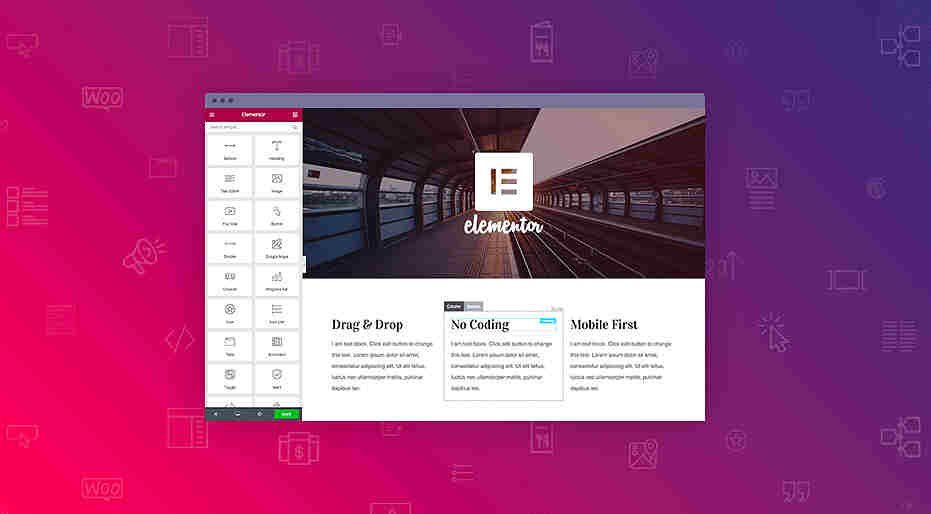
Elementor Review 2026: Free vs Pro, AI Website Builder, Pricing & Is It Worth It?
Is Elementor the best WordPress website builder in 2026? If you want to create a professional website, landing page, business portfolio, blog, or online store without writing complicated code, Elementor is one of the most recognizable website-building tools available.
But there is an important question: Is Elementor Pro worth paying for when Elementor Free already offers a drag-and-drop editor?
Elementor has evolved beyond a basic WordPress page builder. Its ecosystem now includes professional website design tools, Theme Builder, WooCommerce customization, forms, popups, AI-assisted content creation, website hosting, and additional website-management products.
However, not every feature is included in every subscription.
In this comprehensive Elementor Review 2026, we explore Elementor Free vs Pro, pricing, Elementor AI, templates, WooCommerce Builder, website performance, SEO, hosting, advantages, disadvantages, alternatives, and a complete beginner-friendly setup guide.
We will also explain which Elementor plan is best for bloggers, freelancers, digital marketers, small businesses, ecommerce store owners, and web development agencies.
🚀 BUILD YOUR DREAM WEBSITE – EXPLORE ELEMENTOR FREE & PRO
Explore Elementor’s current website-building plans and choose the features that match your needs. Pricing and promotional eligibility may vary.
What Is Elementor?
Elementor is a visual website builder for WordPress that allows users to design pages using a drag-and-drop editing interface.
Instead of manually writing HTML and CSS for every section, users can place design elements onto a page and customize their appearance.
What Can You Build With Elementor?
- Personal blogs.
- Business websites.
- Portfolio websites.
- Landing pages.
- Online stores.
- Agency websites.
- Educational websites.
- Membership websites.
- Service booking pages.
- Affiliate marketing websites.
- Product showcase websites.
- Marketing funnels.
- Event registration pages.
Is Elementor a WordPress Plugin?
Yes. Elementor’s website builder is available as a WordPress plugin.
It has a free version and paid professional plans.
Elementor also offers separate products and subscriptions, including hosting and AI-related capabilities.
Who Should Use Elementor?
Elementor can be useful for beginners who want visual website design and professionals who need more advanced WordPress customization.
Elementor Review 2026: Quick Overview
Product: Elementor
Category: WordPress Website Builder
Website: elementor.com
Free Version: Available
Paid Version: Elementor Pro
Website Builder Type: Drag-and-drop visual editor
WordPress Compatibility: Yes
Responsive Design: Yes
Theme Builder: Available with Elementor Pro
WooCommerce Builder: Available with eligible Pro plans
Popup Builder: Available with eligible Pro plans
Form Builder: Available with Pro, with plan-dependent capabilities
AI Website Building: Available through eligible Elementor AI or Elementor One offerings
Website Hosting: Offered separately through Elementor Host
Best For: Bloggers, freelancers, businesses, designers, developers, and agencies
Overall Verdict: A flexible WordPress website builder with a useful free version and professional tools for users who need greater design control.
1. How Does Elementor Work?
Elementor provides a visual interface for building WordPress pages.
Step 1: Install WordPress
Start with a WordPress website.
Step 2: Install Elementor
Add the free Elementor plugin from the WordPress plugin directory.
Step 3: Create a Page
Open a new WordPress page.
Step 4: Launch the Elementor Editor
Select the option to edit the page using Elementor.
Step 5: Add Design Elements
Insert headings, images, buttons, containers, text, and other widgets.
Step 6: Customize the Design
Adjust typography, spacing, backgrounds, colors, and responsive layouts.
Step 7: Preview Your Website
Check desktop, tablet, and mobile layouts.
Step 8: Publish
Publish the completed page.
Why Is Elementor Popular?
Its visual editing workflow makes many common website design tasks more accessible.
However, building an effective website still requires attention to layout, accessibility, content, usability, and performance.
2. Elementor Free vs Elementor Pro: What’s the Difference?
One of the most searched questions about Elementor is whether the free version is sufficient.
The answer depends on the type of website you want to create.
Elementor Free Features
Elementor Free includes a visual drag-and-drop editor and a selection of website design tools.
You can use it to create:
- Homepage sections.
- About pages.
- Services pages.
- Basic landing pages.
- Portfolio layouts.
- Blog-related pages.
- Image galleries.
- Buttons.
- Responsive sections.
Elementor Free Advantages
No Elementor Pro subscription required
You can use the core plugin without paying for Pro.
Visual editing
Design pages without manually coding every element.
Responsive controls
Adjust layouts for different screen sizes.
Templates
Use eligible free templates to accelerate page creation.
WordPress integration
Works within a WordPress website.
Elementor Free Limitations
The free version does not include all advanced capabilities.
Depending on current product offerings, features such as advanced Theme Builder controls, professional form functionality, popups, and full WooCommerce design customization require an eligible paid plan.
Elementor Pro Features
Elementor Pro adds professional design and website-management capabilities.
Depending on your subscription, these may include:
- Theme Builder.
- Form Builder.
- Popup Builder.
- Advanced widgets.
- Dynamic content.
- Custom CSS.
- Custom code.
- WooCommerce Builder.
- Marketing integrations.
- Professional templates.
- Collaboration tools.
Which Version Should You Choose?
Choose Elementor Free if you are building a simple website and do not need advanced features.
Choose Elementor Pro if you need custom website templates, professional forms, marketing integrations, advanced design controls, or ecommerce customization.
3. Elementor Pro Pricing 2026
Elementor offers several paid website-builder plans.
The exact price depends on the selected plan, billing period, promotional offer, and renewal terms.
Elementor Essential
Designed for basic professional websites.
It generally supports one website and includes features such as Theme Builder and selected professional design capabilities.
However, advanced ecommerce customization and certain marketing features are not included.
Elementor Advanced Solo
Designed for users building one professional website requiring more advanced functionality.
It includes additional design, marketing, and ecommerce capabilities compared with Essential.
Elementor Advanced
Designed for users managing up to three websites.
It offers professional website-building features across multiple installations.
Elementor Expert
Designed for professionals managing up to 25 websites.
It can be suitable for freelancers and small agencies.
Elementor Agency
Designed for larger website-building operations requiring a substantially higher site allowance.
How Much Does Elementor Pro Cost?
Elementor’s official pricing pages display promotional and regular pricing dynamically.
Because introductory offers, renewal prices, and billing terms change, the safest approach is to review the current checkout price rather than rely on an outdated promotional figure.
What Should You Check Before Buying?
- First-year subscription cost.
- Renewal price.
- Number of supported websites.
- Included widgets.
- Theme Builder access.
- Form integrations.
- Popup Builder.
- WooCommerce Builder.
- Custom CSS.
- Support level.
- AI features and credits.
Does Elementor Offer a Money-Back Guarantee?
Elementor advertises a 30-day money-back guarantee for eligible purchases, subject to its refund policy.
WhiteWhoop Recommendation
For a simple business website, start by comparing Free and Essential.
For an ecommerce website, consider Advanced Solo or another eligible plan with WooCommerce Builder.
For multiple client websites, evaluate Advanced, Expert, or Agency based on your actual license requirements.
⚡ UNLOCK PROFESSIONAL WORDPRESS DESIGN – VIEW ELEMENTOR PRO PLANS
4. Elementor Drag-and-Drop Website Builder
The drag-and-drop editor is Elementor’s central feature.
What Can You Customize?
- Page structure.
- Containers.
- Typography.
- Colors.
- Backgrounds.
- Images.
- Buttons.
- Spacing.
- Borders.
- Shadows.
- Animations.
- Responsive layouts.
Example: Creating a Business Homepage
Suppose you want to build a website for a digital marketing agency.
You could create:
Hero Section
A headline, service description, and consultation button.
Services Section
Cards for SEO, web development, advertising, and social media management.
Portfolio Section
Examples of completed projects.
Testimonials Section
Client feedback.
Contact Section
A form and business contact details.
Elementor lets you assemble these sections visually.
Does Elementor Eliminate Coding?
For many common layouts, yes.
However, advanced integrations, custom functionality, and complex websites may still require development skills.
5. Elementor AI Website Builder Review
Artificial intelligence has become an important part of website creation.
Elementor offers AI-assisted features for generating and editing website content and design elements.
What Can Elementor AI Do?
Depending on the current product and subscription, Elementor AI can help with:
- Text generation.
- Website copy.
- Image generation.
- Layout creation.
- CSS suggestions.
- Code generation.
- Website sections.
- AI-assisted editing.
Example: Creating a Landing Page
Imagine you want to build a landing page for a digital marketing workshop.
You could provide a prompt describing:
- Target audience.
- Workshop topic.
- Desired style.
- Benefits.
- Call to action.
AI tools may help produce an initial structure and content.
You can then refine the result manually.
Is Elementor AI Free?
Elementor offers limited AI access through eligible free capabilities, while expanded usage and features depend on the relevant subscription and credit allowances.
Do not assume that purchasing every Elementor Pro plan automatically includes unlimited AI generation.
Is Elementor AI Better Than Manual Design?
AI can speed up initial drafting.
However, manual review is important for:
- Brand accuracy.
- Content quality.
- Accessibility.
- Conversion optimisation.
- Mobile responsiveness.
- SEO.
- Originality.
WhiteWhoop Verdict
Elementor AI is most useful as a productivity assistant rather than a complete replacement for website design expertise.
6. Elementor One: What Is It?
Elementor One is an all-in-one subscription offering that combines eligible website creation, optimisation, and management capabilities.
What Can It Include?
Depending on the plan:
- Elementor Pro website-building tools.
- AI capabilities.
- Image optimisation.
- Email delivery tools.
- Accessibility-related tools.
- Website management capabilities.
Is Elementor One the Same as Elementor Pro?
No.
Elementor Pro focuses primarily on professional website-building features.
Elementor One brings together additional Elementor products and services under a broader subscription.
Who Should Consider Elementor One?
- Professional website creators.
- Agencies.
- Businesses using multiple Elementor services.
- Users seeking an integrated website-management workflow.
Important
Compare the included products and credit allowances before purchasing.
7. Elementor Theme Builder Review
Theme Builder is one of the most useful Elementor Pro features.
What Is Theme Builder?
It allows you to visually design eligible WordPress theme areas.
What Can You Create?
- Website headers.
- Footers.
- Single post templates.
- Archive templates.
- Search results layouts.
- Other supported theme sections.
Example
Suppose you operate a technology blog.
You want every review article to display:
- Featured image.
- Article title.
- Author information.
- Publication date.
- Article content.
- Related posts.
Instead of designing each article individually, you can create reusable templates.
Why Is This Valuable?
Theme Builder can help maintain visual consistency across a website.
Is Theme Builder Included in Elementor Free?
No. Theme Builder is a Pro capability.
8. Elementor Templates and Website Kits
Templates can reduce the time required to create a website.
Common Template Types
- Business homepages.
- Portfolio pages.
- Contact pages.
- Landing pages.
- Agency websites.
- Ecommerce layouts.
- Personal websites.
Benefits
Faster website setup
Start with a pre-designed layout.
Design consistency
Maintain similar visual patterns across pages.
Beginner-friendly editing
Replace text, images, and colors.
Are All Templates Free?
No.
Template availability depends on the Elementor version and subscription.
WhiteWhoop Tip
Avoid importing a template and publishing it without meaningful customization.
Update:
- Branding.
- Images.
- Headlines.
- Services.
- Testimonials.
- Contact details.
- Calls to action.
9. Elementor WooCommerce Builder Review
Elementor is compatible with WooCommerce.
However, compatibility and advanced WooCommerce design features are different things.
Can You Build an Online Store With Elementor Free?
Yes.
You can use WordPress, WooCommerce, and Elementor Free to build a basic online store.
What Does Elementor Pro Add?
Eligible Pro plans offer advanced WooCommerce customization.
Potential Ecommerce Design Features
- Product page layouts.
- Product archive layouts.
- Shopping cart design.
- Checkout customization.
- Account-related layouts.
- Product widgets.
- Ecommerce-specific templates.
Which Elementor Plan Supports WooCommerce Builder?
Elementor’s official documentation identifies Advanced Solo and higher eligible plans as offering advanced ecommerce capabilities.
The Essential plan should not be assumed to include the complete WooCommerce Builder.
Example
A clothing store wants to customize its product pages with:
- Product images.
- Size information.
- Customer reviews.
- Related products.
- Add-to-cart buttons.
An eligible Elementor Pro plan can help create more customized product layouts.
Payment Gateway Considerations
If your ecommerce website targets Indian customers, explore our Razorpay Payment Gateway Review and Cashfree Payment Gateway Review.
Payment gateway fees and hosting charges are separate from Elementor subscription fees.
10. Elementor Popup Builder
Popups can be useful for marketing and lead generation.
Common Popup Uses
- Newsletter signup.
- Discount announcements.
- Webinar registration.
- Lead magnets.
- Exit-intent campaigns.
- Special offers.
Example
A blogger offers a free SEO checklist.
Visitors can submit their email address through a popup to receive the resource.
Important
Popup Builder availability depends on the selected Pro plan.
Best Practices
- Avoid excessive popups.
- Make close buttons visible.
- Keep mobile layouts usable.
- Avoid misleading urgency.
- Follow applicable privacy and consent requirements.
For additional lead-generation tools, read our Wishpond Review 2026.
11. Elementor Form Builder
Forms are essential for many websites.
Common Form Types
- Contact forms.
- Consultation requests.
- Newsletter registrations.
- Event enquiries.
- Lead-generation forms.
- Service quotations.
Elementor Form Features
Depending on the plan, Elementor Pro offers form design tools, submission management, and integrations.
Important Plan Difference
Basic form design capabilities and advanced form submissions or integrations may be distributed across different Pro tiers.
Example
A web development agency could create a quotation form asking for:
- Client name.
- Email address.
- Website type.
- Budget.
- Project description.
Email Marketing Integration
For email marketing workflows, explore our AWeber Review and Moosend Review.
You can also read our Hostinger Reach Review for another email marketing option.
12. Elementor Landing Page Builder
Landing pages are designed around a specific action.
Common Goals
- Generate leads.
- Promote a product.
- Sell a course.
- Register webinar attendees.
- Collect email subscribers.
- Promote affiliate products.
Example: Digital Marketing Course
A course landing page might include:
Headline: Learn Digital Marketing With Practical Projects
Benefits: SEO, advertising, analytics, and content marketing
Course Details: Modules, duration, and learning outcomes
Testimonials: Genuine student feedback
CTA: Enrol in the Course
What Makes a Good Landing Page?
- Clear headline.
- Relevant benefits.
- Strong visual hierarchy.
- Trust signals.
- Mobile-friendly design.
- Fast loading.
- Simple CTA.
Related Learning Platforms
For course creation, explore our FreshLearn Review.
For digital marketing training, read our MyCaptain Digital Marketing Course Review.
13. Elementor Website Hosting Review
Elementor offers website hosting as a separate product.
Is Elementor Hosting Included With Elementor Pro?
Not automatically.
Elementor Pro plugin subscriptions and Elementor hosting plans are separate offerings unless a particular bundle explicitly includes both.
Why Consider Elementor Hosting?
It may appeal to users who prefer website-building tools and hosting within the same ecosystem.
Potential Benefits
- WordPress hosting.
- Elementor integration.
- Managed infrastructure.
- Security features.
- Website management tools.
Should You Choose Elementor Hosting or Another Provider?
Compare:
- Price.
- Renewal cost.
- Storage.
- Bandwidth.
- Backups.
- Performance.
- Support.
- Migration options.
- Included Elementor features.
Elementor With Cloudways
You can also use Elementor on a WordPress website hosted by a compatible third-party provider.
For managed cloud hosting, read our Cloudways Review 2026.
For affordable WordPress hosting, explore our Hostinger Review and BigRock Review.
14. Elementor SEO Review
A common question is whether Elementor is good for search engine optimisation.
Is Elementor SEO-Friendly?
Elementor can be used to build search-engine-friendly WordPress websites.
However, SEO depends on more than the page builder.
Important SEO Factors
- Helpful content.
- Search intent.
- Proper headings.
- Internal links.
- Mobile usability.
- Page speed.
- Image optimisation.
- Structured data.
- Crawlability.
- Technical configuration.
Does Elementor Automatically Improve Rankings?
No.
Using Elementor does not guarantee better Google rankings.
Elementor SEO Best Practices
Use One Clear H1
Create a descriptive main heading for each page.
Organise Subheadings
Use logical H2 and H3 sections.
Optimise Images
Compress images and add descriptive alt text.
Improve Internal Linking
Link relevant pages naturally.
Use SEO Tools
Consider suitable WordPress SEO plugins.
Check Mobile Layouts
Ensure pages are usable on smaller screens.
Recommended SEO Tool
For keyword research, SERP analysis, and rank tracking, read our Mangools Review 2026.
15. Elementor Website Speed and Performance
Elementor offers substantial design flexibility.
However, poorly optimised pages can become slow.
What Affects Elementor Performance?
- Hosting quality.
- Theme selection.
- Number of widgets.
- Third-party add-ons.
- Image sizes.
- Fonts.
- Animations.
- JavaScript.
- Caching.
- Database performance.
Is Elementor Slower Than Gutenberg?
Not necessarily in every situation.
A simple Gutenberg page may use fewer resources than a heavily designed Elementor page.
However, performance depends on the actual implementation.
How to Make Elementor Faster
- Choose reliable hosting.
- Use a lightweight theme.
- Avoid unnecessary widgets.
- Compress images.
- Use modern image formats where appropriate.
- Enable suitable caching.
- Minimise third-party scripts.
- Remove unused plugins.
- Test mobile performance.
- Monitor Core Web Vitals.
Recommended Hosting Comparisons
Explore our Hostinger Cloud Hosting Review and Cloudways Review.
WhiteWhoop Tip
Test performance with Google PageSpeed Insights before and after major design changes.
16. Elementor Responsive Website Design
Most website visitors expect a good mobile experience.
Elementor provides responsive design controls.
What Can You Adjust?
- Typography.
- Spacing.
- Alignment.
- Container layouts.
- Visibility.
- Image positioning.
- Element sizing.
Example
A desktop homepage may display three service cards in a row.
On mobile, the cards may need to appear vertically.
Important
Always preview the actual website on different devices.
A responsive editor preview does not guarantee every element will work perfectly on every screen.
17. Elementor for Bloggers and Affiliate Marketers
Elementor can help bloggers design landing pages, category pages, and selected article layouts.
Useful Applications
- Affiliate product pages.
- Comparison landing pages.
- Newsletter signup pages.
- Author pages.
- Product recommendation sections.
- Blog homepages.
- Resource pages.
Example
A technology blogger creates a landing page featuring:
- Product comparisons.
- Buying guides.
- Recommended tools.
- Affiliate disclosures.
- Product CTAs.
Important
Do not overdesign every article.
A clean reading experience can be more valuable than excessive animations.
Related Tools
For affiliate marketing and SEO research, explore our Mangools Review.
For monetisation ideas, read our EarnKaro Review.
For content creation and YouTube optimisation, see our vidIQ Review.
18. Elementor for Digital Marketing Agencies
Agencies can use Elementor to build websites for clients.
Common Agency Projects
- Corporate websites.
- Lead-generation landing pages.
- Ecommerce stores.
- Portfolio websites.
- Local business websites.
- Event websites.
- Educational websites.
Why Agencies Consider Elementor
- Visual editing.
- Reusable templates.
- Theme Builder.
- Design consistency.
- Client-friendly content editing.
- Multi-site licensing options.
Example
A digital marketing agency manages 15 client websites.
Instead of purchasing individual licenses without planning, it can compare Elementor Expert and Agency options based on the number of sites and required features.
Important Agency Considerations
- License ownership.
- Client handover.
- Plugin updates.
- Renewal fees.
- Hosting costs.
- Backup management.
- Website security.
- Support responsibilities.
Related Agency Tools
For outreach, read our Waalaxy Review.
For professional business email, explore our Google Workspace Review.
For hosting multiple client websites, see our Hostinger Agency Hosting Review.
19. Elementor for Small Businesses
Small businesses often need websites that are easy to update.
Examples
- Restaurants.
- Salons.
- Consultants.
- Clinics.
- Local shops.
- Real estate agencies.
- Educational institutions.
- Service providers.
Useful Website Sections
- About the business.
- Services.
- Pricing.
- Testimonials.
- Contact details.
- Booking forms.
- Location information.
Is Elementor Free Enough?
For a simple website, it may be sufficient.
For advanced forms, popups, and theme customization, an eligible Pro plan may be worthwhile.
WhiteWhoop Recommendation
Choose the simplest configuration that meets your requirements.
20. Elementor for Ecommerce Businesses
Ecommerce websites need more than attractive design.
Important Requirements
- Product management.
- Inventory.
- Payment processing.
- Order tracking.
- Checkout usability.
- Security.
- Performance.
- Customer support.
How Elementor Helps
An eligible Elementor Pro plan can customize the appearance of WooCommerce pages.
What Elementor Does Not Replace
Elementor is not a substitute for WooCommerce’s underlying ecommerce functionality.
You still need suitable plugins and services for payments, shipping, taxes, and other operational requirements.
Related Payment Tools
Read our Razorpay Review and Cashfree Review.
21. Elementor vs Gutenberg
Gutenberg is the native WordPress block editor.
Elementor Advantages
- Visual page-building interface.
- Advanced design controls.
- Professional templates.
- Theme Builder with Pro.
- Marketing widgets.
- WooCommerce customization.
Gutenberg Advantages
- Native WordPress integration.
- Simpler editing for standard content.
- Potentially leaner page implementations.
- Fewer dependencies for basic layouts.
Which Is Better for Blogging?
Gutenberg may be sufficient for standard blog articles.
Elementor may be more useful for custom landing pages and complex visual layouts.
Verdict
Use the tool that matches your content and design requirements.
22. Elementor vs Divi
Divi is another visual website-building solution.
Elementor
Offers a free WordPress plugin and paid Pro subscriptions.
Divi
Uses its own commercial product and licensing structure.
What Should You Compare?
- Editing experience.
- Templates.
- Pricing.
- Theme-building capabilities.
- Performance.
- WooCommerce support.
- Support.
- Licensing.
Verdict
Elementor may appeal to users who want to begin with a free plugin.
Divi may appeal to users who prefer its design workflow and licensing options.
23. Elementor vs Beaver Builder
Beaver Builder is another established WordPress page builder.
Elementor Strengths
- Broad design ecosystem.
- Free entry-level plugin.
- Advanced Pro features.
- Templates.
- AI-related offerings.
Beaver Builder Strengths
- Alternative editing workflow.
- WordPress integration.
- Professional website-building tools.
Which Should You Choose?
Test the editing experience and compare features before committing.
24. Elementor vs Hostinger AI Website Builder
These tools take different approaches to website creation.
Elementor
Primarily works within WordPress.
Hostinger AI Website Builder
Provides a website-building experience through Hostinger’s own platform.
Which Is Better?
Choose Elementor if you specifically want WordPress flexibility.
Consider an integrated AI website builder if you prefer a more guided setup and do not require the same WordPress ecosystem.
Read our Hostinger AI Website Builder Review for more information.
25. Elementor Pros and Cons
Advantages
1. Free Version Available
Beginners can start without purchasing Elementor Pro.
2. Drag-and-Drop Editing
Many common design tasks can be completed visually.
3. Professional Templates
Templates help accelerate website creation.
4. Responsive Design Controls
Useful for desktop, tablet, and mobile layouts.
5. Theme Builder
Available with Elementor Pro.
6. WooCommerce Integration
Supports WordPress ecommerce websites.
7. Marketing Tools
Eligible plans include forms and popups.
8. AI Capabilities
Can help generate content and design elements.
9. WordPress Ecosystem
Works with a broad range of WordPress tools.
10. Agency Licensing Options
Higher plans support multiple websites.
Disadvantages
1. Advanced Features Require Payment
Not every feature is available in Elementor Free.
2. Plan Differences Can Be Confusing
Important features vary between Essential and higher plans.
3. Performance Requires Optimisation
Heavy designs can increase page weight.
4. Hosting Costs Are Separate
The plugin alone does not provide a complete hosted website.
5. AI Features May Cost Extra
Credits and subscription eligibility vary.
6. Plugin Compatibility Issues Can Occur
WordPress plugins and themes may sometimes conflict.
7. Renewal Costs Matter
Users should review ongoing subscription costs.
8. Learning Curve
Advanced Theme Builder and dynamic content features require practice.
9. Ecommerce Requires Additional Tools
WooCommerce and payment integrations remain necessary.
10. No Guaranteed SEO Rankings
A visual builder does not replace SEO strategy.
26. Is Elementor Safe and Legit?
Elementor is an established WordPress website-building product.
However, security depends on your complete website environment.
Security Best Practices
- Install Elementor from legitimate sources.
- Keep WordPress updated.
- Update Elementor and Elementor Pro.
- Use trusted themes.
- Avoid pirated plugins.
- Enable strong authentication.
- Maintain backups.
- Review user permissions.
- Use HTTPS.
- Monitor security alerts.
Are Nulled Elementor Pro Plugins Safe?
Using unauthorized or modified premium plugins introduces security, licensing, and update risks.
Use legitimate software sources.
27. How to Install Elementor Free
Step 1: Log In to WordPress
Open your WordPress dashboard.
Step 2: Go to Plugins
Select Add New Plugin.
Step 3: Search for Elementor
Find the official Elementor Website Builder plugin.
Step 4: Install
Click Install Now.
Step 5: Activate
Activate the plugin.
Step 6: Create a Page
Go to Pages and add a new page.
Step 7: Edit With Elementor
Open the visual editor.
Step 8: Add a Template or Containers
Start designing your page.
Step 9: Customize Content
Add your business information, images, and CTA buttons.
Step 10: Preview and Publish
Review the mobile and desktop layouts.
28. How to Upgrade to Elementor Pro
Step 1: Visit Elementor
Open the Elementor plans page.
Step 2: Compare Plans
Review Essential, Advanced Solo, Advanced, Expert, and Agency.
Step 3: Select a Plan
Choose the subscription based on website count and required features.
Step 4: Complete the Purchase
Review the price, renewal terms, and applicable taxes.
Step 5: Access Your Elementor Account
Follow the official installation instructions.
Step 6: Install Elementor Pro
Install the official Pro plugin through the supported process.
Step 7: Connect Your License
Activate the subscription for your eligible WordPress website.
Step 8: Explore Pro Features
Configure Theme Builder, forms, templates, or WooCommerce tools as needed.
🎨 UPGRADE YOUR WEBSITE DESIGN – CHOOSE THE RIGHT ELEMENTOR PRO PLAN
29. Practical Elementor Website Project: Build a Service Business Website
Suppose you want to create a website for a consulting business.
Step 1: Define Your Goal
Your main goal is generating consultation enquiries.
Step 2: Choose Hosting
Select a suitable WordPress hosting provider.
For managed cloud hosting, explore our Cloudways Review.
For lower-cost alternatives, read our Flyhost Review.
Step 3: Install WordPress
Configure the domain and SSL certificate.
Step 4: Install Elementor
Begin with the free version.
Step 5: Design the Homepage
Include:
- Hero section.
- Services.
- About.
- Testimonials.
- FAQ.
- Contact CTA.
Step 6: Create Service Pages
Make individual pages for each service.
Step 7: Add Contact Forms
Use a suitable form solution or an eligible Elementor Pro plan.
Step 8: Configure Analytics
Measure enquiries and visitor behaviour.
Step 9: Optimise for Search
Use relevant keywords and descriptive headings.
Step 10: Test Conversion Paths
Make sure visitors can easily contact your business.
30. Elementor for Affiliate Marketing Landing Pages
Affiliate marketers often need pages that explain products clearly.
Example: Software Review Website
You create a website reviewing:
- Hosting services.
- SEO tools.
- Email marketing software.
- Website builders.
- AI tools.
Useful Landing Page Sections
Introduction
Explain the problem the product solves.
Features
Describe important capabilities.
Pricing
Explain the cost and limitations.
Pros and Cons
Present a balanced comparison.
Alternatives
Help readers make informed decisions.
CTA
Link to the product using clear language.
Related Affiliate Software
Explore our Mangools Review, AWeber Review, and Wishpond Review.
Important
Disclose affiliate relationships and avoid misleading offers.
31. Elementor for Online Course Websites
Online educators may use Elementor to design course-related pages.
Common Pages
- Course landing page.
- Instructor profile.
- Pricing page.
- Testimonials.
- Contact page.
- Webinar registration.
Does Elementor Replace an LMS?
No.
A learning management system handles course delivery, student access, lessons, and progress tracking.
Elementor can help design the website around those functions.
Related Tools
Read our FreshLearn Review and MyCaptain Content and Copywriting Course Review.
32. My Blogging, Website Design and Content Creation Tools
Building websites and publishing content often requires supporting equipment.
Computer or Laptop
A reliable computer helps with WordPress development, Elementor editing, image optimisation, and content creation.
External Monitor
A second display can make it easier to work with the Elementor editor and website previews.
Keyboard and Mouse
Useful for writing, design work, and coding.
Microphone
Helpful for recording WordPress tutorials and online courses.
Camera or Webcam
Useful for product demonstrations and video lessons.
Headphones
Helpful for editing and client communication.
External Storage
Useful for media files and independent backups.
Power Bank
Useful for mobile content creation.
Internet Equipment
Reliable internet connectivity supports website uploads and remote collaboration.
For more equipment ideas, read our Best Podcast Equipment for Beginners and Canon EOS R50 Review.
My Amazon Tech and Blogging Picks
The following are Amazon product links shared for this guide. Their exact product titles could not be independently verified, so the listing identifiers are provided rather than potentially incorrect names.
- 🛒 View Amazon Tech Pick – B0d7Cy0Sk
- 🛒 Check Amazon Product – B02Ijyf4Z
- 🛒 Explore Amazon Tech Deal – B0783RRzK
- 🛒 See Amazon Product Details – B0904evWM
- 🛒 Discover Amazon Tech Pick – B04BJSgkQ
- 🛒 Browse Amazon Product – B0ggZVLic
- 🛒 Check My Amazon Pick – A06dDuOAY
- 🛒 Explore Amazon Product – B057zSclw
- 🛒 View My Amazon Recommendation – B0hbP0c0c
Please verify the product name, specifications, seller, price, and compatibility before purchasing.
33. Common Elementor Mistakes to Avoid
Mistake 1: Using Too Many Widgets
Excessive widgets may complicate page layouts and performance.
Mistake 2: Ignoring Mobile Design
Always test smaller screens.
Mistake 3: Uploading Oversized Images
Compress images before publishing.
Mistake 4: Choosing the Wrong Pro Plan
Check whether your plan includes WooCommerce Builder, popups, and advanced integrations.
Mistake 5: Installing Too Many Add-ons
Use only necessary plugins.
Mistake 6: Ignoring Website Backups
Maintain reliable backups.
Mistake 7: Using Poor-Quality Templates
Customize templates for your actual audience.
Mistake 8: Overusing Animations
Too many effects may distract visitors.
Mistake 9: Forgetting SEO Basics
Use descriptive headings and helpful content.
Mistake 10: Ignoring Renewal Pricing
Consider long-term subscription costs.
34. Frequently Asked Questions About Elementor
1. What is Elementor?
Elementor is a visual WordPress website builder.
2. Is Elementor free?
Yes. Elementor offers a free WordPress plugin.
3. Is Elementor Pro worth it?
It can be worthwhile for users who need advanced website design, forms, Theme Builder, and ecommerce capabilities.
4. Is Elementor good for beginners?
Yes, although advanced features require practice.
5. Can I build a website without coding?
Yes, many common websites can be created visually.
6. Does Elementor work with WordPress?
Yes.
7. Does Elementor work with WooCommerce?
Yes.
8. Is WooCommerce Builder free?
Advanced WooCommerce Builder features require an eligible Pro plan.
9. Does Elementor include hosting?
Hosting is available as a separate Elementor product or through eligible bundles.
10. Is Elementor AI free?
Limited AI capabilities may be available, while expanded features depend on subscription and credit allowances.
11. Can Elementor AI create website content?
Yes, eligible AI features can assist with text and other content.
12. Can Elementor AI generate images?
Image-generation features are available through eligible AI offerings.
13. Does Elementor include templates?
Yes, with availability varying by plan.
14. Can I create landing pages?
Yes.
15. Can I create an online store?
Yes, using WordPress and WooCommerce.
16. Does Elementor support responsive design?
Yes.
17. Is Elementor good for SEO?
It can support SEO-friendly websites when configured properly.
18. Does Elementor improve Google rankings?
No ranking improvement is guaranteed.
19. Is Elementor faster than Gutenberg?
Performance depends on the implementation and website configuration.
20. Can I use Elementor with Cloudways?
Yes, on a compatible WordPress installation.
21. Can I use Elementor with Hostinger?
Yes.
22. Does Elementor have a Popup Builder?
Yes, through eligible Pro plans.
23. Does Elementor have a Form Builder?
Yes, with features varying by Pro plan.
24. Does Elementor have Theme Builder?
Yes, through Elementor Pro.
25. Can I customize headers and footers?
Yes, with Theme Builder and appropriate theme compatibility.
26. Can I build client websites with Elementor?
Yes, subject to licensing and plan limits.
27. How many websites can I build with Elementor Pro?
The number depends on the purchased plan.
28. Does Elementor offer a refund policy?
Eligible purchases are covered by the applicable refund policy, including an advertised 30-day money-back guarantee.
29. Is Elementor safe?
It is an established product, but website security also depends on updates, hosting, and configuration.
30. Is Elementor the best WordPress page builder in 2026?
It is a strong option, but the best builder depends on budget, design requirements, performance priorities, and technical experience.
35. Final Verdict: Is Elementor Worth It in 2026?
Elementor remains a compelling WordPress website builder for users who want visual design flexibility without manually coding every page.
Its free version is useful for beginners and simple websites.
Elementor Pro becomes more valuable when you need advanced templates, Theme Builder, forms, popups, WooCommerce customization, or professional design workflows.
Best for Beginners
Start with Elementor Free.
Best for Small Businesses
Compare Elementor Free and Essential.
Best for Ecommerce
Choose a plan that explicitly includes WooCommerce Builder.
Best for Freelancers
Consider Advanced Solo or a multi-site plan, depending on the number of projects.
Best for Agencies
Compare Expert and Agency plans based on website count and feature requirements.
Best for AI-Assisted Website Building
Review Elementor AI and Elementor One capabilities, including credit allowances.
Biggest Advantages
- Visual editing.
- Flexible layouts.
- Professional templates.
- WordPress integration.
- Advanced Pro tools.
- Ecommerce customization.
- AI-assisted features.
Biggest Drawbacks
- Subscription costs.
- Feature differences between plans.
- Performance optimisation requirements.
- Separate hosting expenses.
- Potential plugin conflicts.
WhiteWhoop Verdict
Elementor is worth considering in 2026 if you want to create professional WordPress websites with visual design control.
For simple websites, Elementor Free may be enough.
For businesses, agencies, and ecommerce stores that need more advanced functionality, the appropriate Elementor Pro plan may justify its cost.
The best approach is to start with your actual website requirements rather than automatically purchasing the most expensive subscription.
🌐 CREATE YOUR PROFESSIONAL WEBSITE – EXPLORE ELEMENTOR TODAY
Compare Elementor Free, Pro, and other available subscriptions before purchasing.
Support WhiteWhoop
WhiteWhoop publishes educational reviews covering website builders, web hosting, SEO, digital marketing, online business tools, and technology.
If this Elementor review helped you understand WordPress website building, consider supporting our work.
☕ BUY ME A COFFEE – SUPPORT WHITEWHOOP
Your support helps us continue creating practical tutorials and independent reviews.
Help Us Publish More Website Building Guides
We aim to make technology and online business tools easier to understand.
❤️ SUPPORT INDEPENDENT TECH REVIEWS – BUY A COFFEE
You May Also Read
Website Builders, Hosting and Digital Marketing
- Cloudways Review 2026: Managed Cloud Hosting, Pricing and Speed
- Mangools Review 2026: KWFinder, SEO Tools and AI Search
- BigRock Review 2026: Web Hosting and Domains
- Wishpond Review 2026: AI Marketing and Lead Generation
- FreshLearn Review 2026: AI Course Builder
- AWeber Review 2026: Email Marketing
- vidIQ Review 2026: YouTube SEO Tools
- Moosend Review 2026: Email Marketing
- Waalaxy Review 2026: LinkedIn Automation
- Flyhost Review 2026: Cheap Web Hosting
- Hostking Review 2026: WordPress and VPS Hosting
- Razorpay Payment Gateway Review 2026
- Google Workspace Review 2026
- Domain India Review 2026
- Cashfree Payment Gateway Review 2026
- Hostinger Cloud Hosting Bundle Review 2026
- Hostinger Agency Hosting Review 2026
- Hostinger VPS Hosting Review 2026
- Hostinger Cloud Hosting Review 2026
- Hostinger AI Website Builder Review 2026
- Hostinger Reach Review 2026
- Hostinger Shared Bundle Review 2026
- Hostinger Web Hosting Review 2026
- Hostinger AI Automation Apps Review 2026
- Hostinger Business Email Review 2026
- Hostinger Review 2026: WordPress Hosting and Pricing
Online Business, Apps and Earning Platforms
- Cashify Review 2026: Sell Old Phones and Buy Refurbished Mobiles
- Preply Review 2026: English Tutors and Pricing
- Niyo Global Card Review 2026
- Tide Account Review 2026
- GoPaisa Review 2026
- Pawns.app Review 2026
- Swagbucks Review 2026
- EarnKaro Review 2026
- Angel One Review 2026
Courses and Content Creation
- MyCaptain Business Analytics Course Review 2026
- MyCaptain Content and Copywriting Course Review 2026
- MyCaptain Digital Marketing Course Review 2026
- Canon EOS R50 Review 2026
- Best Podcast Equipment for Beginners on a Budget
Support Independent Technology Reviews
If you appreciate our detailed WordPress, hosting, and digital marketing guides, consider supporting WhiteWhoop.
Thank you for helping us create useful educational content.
Affiliate Disclosure
This article contains affiliate links.
If you purchase an eligible Elementor product through our affiliate link, WhiteWhoop may earn a commission under the applicable affiliate programme terms.
The article also includes Amazon shopping links. WhiteWhoop may earn from qualifying purchases through eligible Amazon Associates links.
Affiliate relationships do not guarantee special discounts, free upgrades, improved SEO rankings, or website performance.
Editorial Disclaimer
This article is intended for educational and informational purposes.
Elementor pricing, product features, AI credits, subscription limits, hosting packages, promotional offers, and refund conditions may change.
Always review the official Elementor website and current checkout terms before purchasing.
WhiteWhoop does not claim to have independently tested every Elementor plan, AI feature, hosting configuration, or third-party integration discussed in this article.