
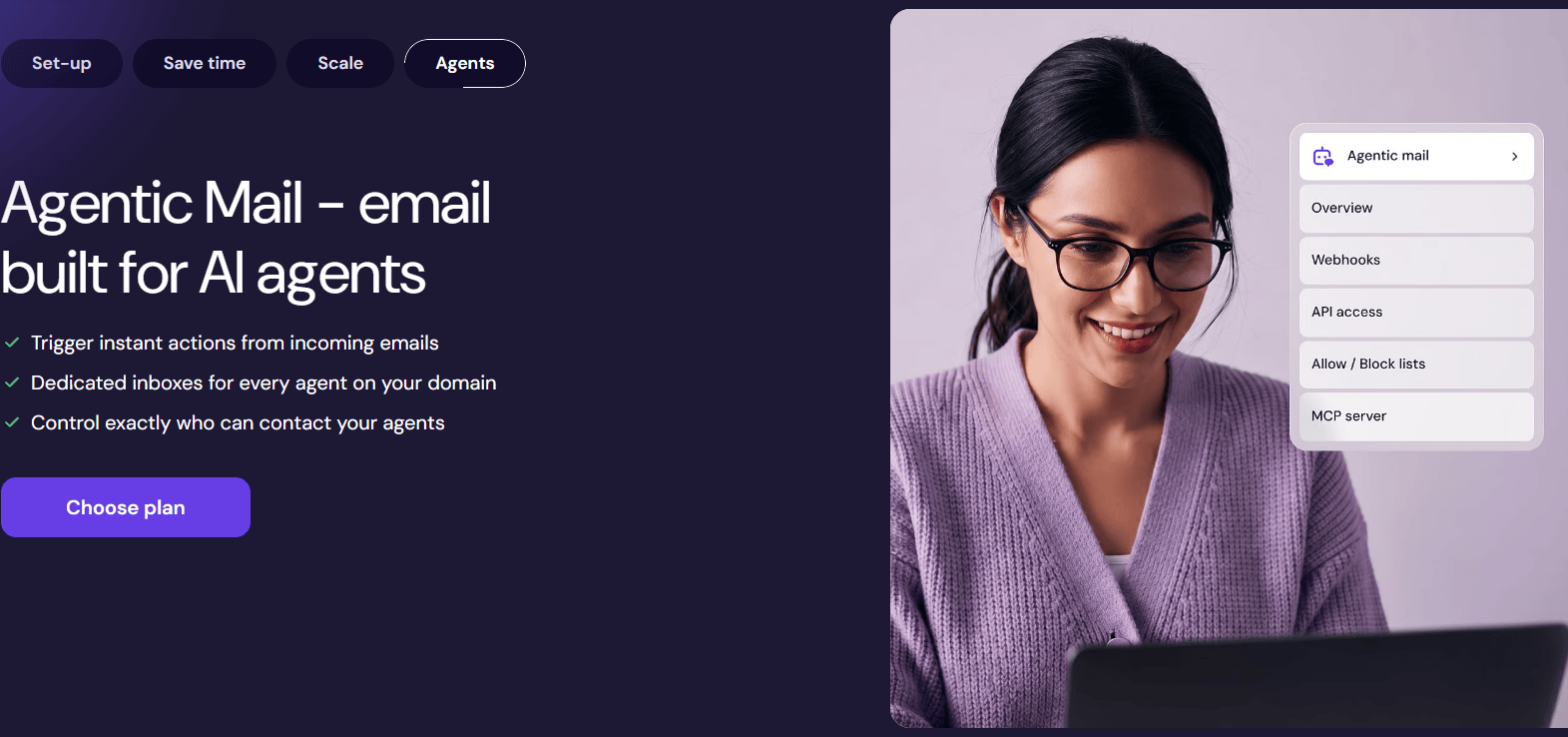
Hostinger Business Email Review 2026: Pricing, Features & Professional Email for Your Domain
📧 Want a Professional Business Email With Your Own Domain?
Are you still using a personal Gmail address for business communication? If you want to build a professional brand, attract clients, or communicate with customers more confidently, a domain-based email address is worth considering.
For example, instead of using yourbusiness@gmail.comyou could use an address such as:
hello@yourbusiness.comsales@yourbusiness.comsupport@yourbusiness.comcontact@yourbusiness.comyourname@yourbusiness.com
A professional email address helps keep business communication aligned with your brand. It’s useful for freelancers, agencies, startups, bloggers, online stores, and small businesses.
Hostinger Business Email offers professional email hosting with a custom domain, spam and virus protection, email forwarding, aliases, and other features depending on the selected plan.
In this detailed Hostinger Business Email Review 2026, we’ll explore its features, Starter and Premium plans, pricing considerations, subscription periods, advantages, disadvantages, and how to choose the right option for your business.
🚀 Get Hostinger Business Email
Ready to create a professional email address for your business?
🛒 BUY NOW – GET HOSTINGER BUSINESS EMAIL
This link opens the 12-month Starter Business Email checkout. Check the final price, mailbox allowance, and applicable terms before paying.
🌐 What Is Hostinger Business Email?
Hostinger Business Email is an email hosting service that lets you use a custom domain for professional communication.
For example, if your company owns yourbusiness.com, you can create an address such as hello@yourbusiness.com, subject to the domain and email plan requirements.
Instead of relying only on a personal email account, your business communication can use your own brand name.
Hostinger’s official email service provides features such as:
- Professional email addresses using a custom domain
- Spam, virus, and phishing protection
- Email forwarding and aliases
- Webmail access
- Access through supported email apps and devices
- Email migration options
- Auto-replies and email management features
- Different mailbox storage allowances, depending on the plan
Feature availability and limits depend on the email product and plan you purchase. See the official Hostinger Business Email page for current details.
Who Can Use Hostinger Business Email?
Hostinger Business Email may be useful for:
- Freelancers and independent professionals
- Digital marketing agencies
- Web development companies
- Startups and small businesses
- Bloggers and content creators
- Online stores and ecommerce businesses
- Sales and customer support teams
- Consultants and service providers
If you communicate with clients regularly, a domain-based email can help present a consistent professional identity.
💰 Hostinger Business Email Pricing in India 2026
Hostinger offers different business email plans and subscription periods. Your final price depends on the plan, duration, current promotion, and applicable taxes.
You provided direct checkout links for two options:
- Starter Business Email: For essential professional email requirements.
- Premium Business Email: For users who need more mailbox storage and additional features.
You can select a one-month, 12-month, 24-month, or 48-month subscription using the checkout links below.
Important: Compare Total Cost, Not Just Monthly Price
A longer subscription may offer a lower effective monthly rate, but it can require a larger upfront payment.
Before purchasing, check:
- The total amount payable today.
- The subscription duration.
- The renewal price and renewal term.
- The number of mailboxes included.
- The storage available per mailbox.
- The refund policy and other applicable conditions.
Hostinger’s prices and features can change. The checkout page is the best place to confirm the current offer.
📦 Hostinger Starter vs Premium Business Email
Which plan should you choose? The answer depends on how much email storage you need and which features matter to your business.
1. Hostinger Starter Business Email
Starter is designed for users who need a professional domain-based inbox without requiring all the additional capabilities of a higher-tier plan.
It may suit:
- Freelancers
- Solo entrepreneurs
- New startups
- Small business owners
- Personal brands
- Professionals who mainly send and receive client emails
The current Hostinger India product information lists 5 GB of email storage per mailbox for its Starter plan, along with email aliases, forwarding rules, and spam and virus protection. Confirm the exact specifications for the offer you select.
Best for: Individuals and small businesses that need a straightforward professional email setup.
Choose Starter Business Email
📩 BUY NOW – STARTER EMAIL, 1 MONTH
📩 BUY NOW – STARTER EMAIL, 12 MONTHS
2. Hostinger Premium Business Email
Premium is intended for users who need more storage and additional email management capabilities.
It may be useful for:
- Growing businesses
- Agencies handling client communication
- Sales teams
- Businesses that receive many attachments
- Teams that need more aliases or forwarding rules
- Professionals who want additional email productivity features
Hostinger’s current India product information lists 50 GB of email storage per mailbox for Premium, along with higher allowances for selected features. Certain plans may also include AI-assisted email tools and a domain benefit, subject to the current offer.
Best for: Businesses that need more storage and a broader set of email features.
Choose Premium Business Email
🚀 BUY NOW – PREMIUM EMAIL, 1 MONTH
🚀 BUY NOW – PREMIUM EMAIL, 12 MONTHS
These links open the selected plan and term. Review the current checkout details before completing your purchase.
🛡️ Hostinger Business Email Features
Let’s look at the main features that can make a business email service useful.
1. Professional Email With a Custom Domain
A domain-based email lets you communicate using your own brand name.
For example:
hello@yourcompany.comsales@yourcompany.comsupport@yourcompany.com
This can help maintain a consistent identity across your website, invoices, proposals, and client conversations.
You’ll need a suitable domain to use a matching custom email address. You may be able to purchase a domain separately or connect an existing domain, depending on your setup.
2. Ad-Free Professional Inbox
A professional email service is designed for business communication rather than a consumer inbox experience.
If an ad-free inbox is important to you, check the exact terms and interface shown for your selected Hostinger email plan before subscribing. Don’t confuse an ad-free inbox with guaranteed inbox placement or spam-free email delivery.
3. Spam, Virus and Phishing Protection
Business email security is essential because unwanted messages, malicious attachments, and phishing emails can create risks for a company.
Hostinger lists spam, virus, and phishing protection among its email features. Protection can help filter suspicious messages, but no email provider can guarantee that every malicious email will be detected.
You should still:
- Avoid opening unexpected attachments.
- Verify suspicious payment requests.
- Use a strong, unique password.
- Enable additional account security where available.
- Be careful with links asking for login details.
4. Email Forwarding
Email forwarding lets you direct messages from one address to another supported email address.
For example, you could forward messages sent to support@yourcompany.com to a mailbox that you monitor regularly.
This can help small businesses manage multiple contact addresses more conveniently.
Forwarding limits vary by plan.
5. Email Aliases
Aliases let you use additional addresses for different purposes, depending on the service configuration.
For example, you might use sales@yourcompany.com and contact@yourcompany.com to organise incoming communication.
An alias is not necessarily a separate mailbox with its own independent storage or login. Confirm the difference between aliases and paid mailboxes before setting up a team.
6. Access From Email Apps and Devices
Hostinger supports access through its webmail interface and compatible email apps.
Depending on your configuration, you may be able to use a custom-domain email address with apps such as Outlook, Gmail, Apple Mail, or other supported clients.
This is convenient if you want to check business emails from a laptop, desktop, or smartphone.
Follow Hostinger’s setup instructions for the specific app you use.
7. Email Migration
If you’re switching from another provider, migration options may help transfer existing email messages.
Before migrating, confirm which messages, folders, and settings can be transferred. Maintain a backup of important business emails before making changes.
8. AI Email Tools on Eligible Plans
Some Hostinger email plans include AI-assisted features that can help with tasks such as writing, summarising, or replying to messages.
Availability and usage limits depend on the plan. Review the current feature list if AI productivity tools are important to your workflow.
🏢 Why Does Your Business Need a Professional Email Address?
A professional email address is not just about appearance. It can also help organise your communication.
For Digital Marketing Agencies
An agency might use:
hello@agencyname.comsales@agencyname.comsupport@agencyname.combilling@agencyname.com
These addresses can help distinguish enquiries, customer support, and billing communication.
For Freelancers
Freelancers can use a domain-based email on proposals, portfolios, invoices, and client onboarding documents.
For Startups
A branded email address can create a consistent identity across the website, sales material, and customer communication.
For Online Stores
An ecommerce business may use separate addresses for order enquiries, support, returns, and business partnerships.
Important: A professional email address can support credibility, but it doesn’t automatically guarantee trust, better deliverability, or more sales. Your service quality and email practices still matter.
📅 Choose Your Hostinger Email Subscription Period
You shared direct checkout links for four subscription periods. Use this guide to choose the option that best fits your budget and expected usage.
1. One-Month Business Email Plan
A one-month plan may be useful if you want to evaluate the service with a shorter initial commitment.
Starter – 1 Month
Premium – 1 Month
2. Twelve-Month Business Email Plan
A 12-month plan may suit businesses that want email hosting for a full year and prefer to review their requirements annually.
Starter – 12 Months
Premium – 12 Months
3. Twenty-Four-Month Business Email Plan
A 24-month subscription may be worth comparing if you expect to use the same service for the next two years.
Starter – 24 Months
Premium – 24 Months
4. Forty-Eight-Month Business Email Plan
A 48-month plan may offer a lower effective monthly price, depending on the current promotion. However, it involves a longer commitment and potentially a larger upfront payment.
Starter – 48 Months
Premium – 48 Months
Which Subscription Is Best?
Choose based on your business needs rather than the monthly equivalent alone.
- Short-term testing: Compare the one-month price and terms.
- Annual budgeting: Consider the 12-month option.
- Longer-term use: Compare the total cost of 24 and 48 months.
- Higher storage requirements: Evaluate Premium.
- Basic professional email: Evaluate Starter.
Always compare the total payment today, renewal terms, and any applicable taxes.
👍 Hostinger Business Email: Pros and Cons
✅ Pros
- Lets you use a custom domain for professional communication.
- Helps maintain a consistent business identity.
- Includes spam, virus, and phishing protection features.
- Offers email forwarding and aliases, subject to plan limits.
- Supports access through compatible email apps and devices.
- Provides different storage allowances depending on the plan.
- Offers migration options for eligible email setups.
- Provides multiple subscription periods to compare.
- Can suit freelancers, agencies, startups, and small businesses.
❌ Cons
- A custom domain may need to be purchased separately.
- Longer subscription periods can require a higher upfront payment.
- Renewal pricing may differ from introductory pricing.
- Storage and feature allowances vary by plan.
- An alias is not necessarily an independent mailbox.
- Spam protection cannot block every unwanted or malicious message.
- Email hosting does not guarantee that your messages will always reach the inbox.
- Some advanced features may be available only on specific plans.
Overall, Hostinger Business Email is worth considering if you want branded email hosting with essential business communication and security features. Compare the current plans before deciding.
🔐 Is Hostinger Business Email Safe?
Hostinger lists security features such as spam, virus, and phishing protection, as well as email management and account security features.
These tools can help reduce common email risks, but security also depends on how you configure and use your account.
For better protection:
- Use a strong, unique password.
- Enable additional authentication protections where available.
- Keep recovery details up to date.
- Be cautious with unexpected links and attachments.
- Verify sensitive requests involving payments or account changes.
- Configure domain authentication records, including SPF, DKIM, and DMARC where appropriate.
- Back up important business correspondence.
Verdict: Hostinger provides security features for professional email, but no service can guarantee complete protection from every threat.
🆚 Hostinger Business Email vs Free Gmail
Should you use a free Gmail address or pay for a custom-domain email service?
Free Gmail
A free personal Gmail address can be enough for personal communication or testing a business idea.
Advantages include familiarity and easy access. However, a standard personal address doesn’t use your own business domain.
Hostinger Business Email
A custom-domain email uses your brand name and can be managed as part of your business’s online identity.
It may be more appropriate for client proposals, sales communication, customer support, and business correspondence.
Which Should You Choose?
Choose free Gmail if you need a simple personal mailbox and don’t need a branded domain address.
Consider Hostinger Business Email if you want a professional email address that matches your domain.
Note: You may also be able to use a custom-domain email account in a compatible email app. Check the setup instructions and requirements for the app you choose.
⚙️ How to Set Up Hostinger Business Email
Getting started usually involves a few steps.
Step 1: Choose a Plan
Select Starter or Premium based on your requirements and budget.
🚀 BUY NOW – CHOOSE YOUR HOSTINGER EMAIL PLAN
Step 2: Connect or Choose Your Domain
Use an eligible existing domain or purchase a suitable domain if you don’t already have one.
Step 3: Create Your Email Address
Choose a professional address such as hello@yourbusiness.com or support@yourbusiness.com.
Step 4: Configure Your Email
Follow the dashboard instructions to complete setup. Depending on your domain configuration, you may need to add or verify DNS records.
Step 5: Access Your Inbox
Use Hostinger’s webmail or configure a compatible email application using the provider’s setup instructions.
Step 6: Test Your Email
Send a test message and reply to it. Confirm that sending, receiving, and any required forwarding work correctly.
If you are moving from another provider, follow the official migration instructions and keep a backup of important messages.
⭐ Is Hostinger Business Email Worth It in 2026?
Hostinger Business Email may be a good option if you want to use a professional email address with your own domain without setting up a complex email infrastructure yourself.
The Starter plan may suit individuals and small businesses with basic needs, while Premium may be worth evaluating if you need more storage or additional features.
The right choice depends on your budget, number of mailboxes, domain setup, storage requirements, and expected email usage.
My Recommendation
- Freelancer or solo business owner: Compare Starter first.
- Small business or agency: Evaluate Starter and Premium based on storage and mailbox requirements.
- Growing team: Check how many independent mailboxes you need and the cost per mailbox.
- Long-term user: Compare 12-, 24-, and 48-month total costs and renewal rates.
Don’t choose a long subscription only because the advertised monthly price looks attractive. Make sure the plan and total cost fit your needs.
🔥 Ready to Create Your Professional Email?
📩 BUY NOW – GET HOSTINGER BUSINESS EMAIL
Check the current offer, mailbox limits, renewal terms, and final payable amount before placing your order.
🔗 You May Also Read
Explore more reviews and guides on WhiteWhoop covering website hosting, digital tools, online business, and technology.
👉 Hostinger Review 2026: Is It the Best Web Hosting for WordPress, Bloggers & Small Businesses?
👉 Angel One Review 2026: Is Angel One Safe and the Best Trading App in India?
👉 Paytm UPI vs super.money UPI Review 2026: Which UPI App Is Better for Earning Money as Cashback?
👉 EarnKaro Review 2026: How to Earn Money Online Without Investment by Sharing Deals?
👉 Axis Bank Neo RuPay Credit Card Review 2026: Benefits, Cashback, Fees & UPI – Is It Worth Applying?
👉 Google Pay UPI Review 2026: Get ₹121 on First Payment – Is GPay Worth Using?
👉 MediaRewards Review 2026: Earn Points, Gift Cards & Win Prize Draws – Is It Legit?
❓ Frequently Asked Questions About Hostinger Business Email
1. What is Hostinger Business Email?
Hostinger Business Email is an email hosting service that allows you to use a custom domain for professional communication, subject to the plan and domain requirements.
2. Can I create an email address with my own domain?
Yes. You can use a domain-based address such as hello@yourbusiness.com after connecting or selecting an eligible domain and setting up your email service.
3. What is the difference between Starter and Premium Business Email?
The plans differ in storage and selected feature allowances. Hostinger’s current India product information lists 5 GB per mailbox for Starter and 50 GB for Premium. Confirm the current plan details before purchasing.
4. Does Hostinger Business Email include spam protection?
Hostinger lists spam, virus, and phishing protection among its email features. However, no spam filter can guarantee that every malicious or unwanted message will be blocked.
5. Is Hostinger Business Email ad-free?
The service is designed for professional email use. If a completely ad-free inbox is essential, verify the current plan terms and interface before purchasing.
6. Can I use Hostinger Business Email with Gmail or Outlook?
Hostinger supports compatible email apps, including Outlook and other clients. Follow the official setup instructions to connect your account. Using an account in an email app is not the same as receiving a free Google Workspace or Microsoft 365 subscription.
7. Do I need to buy a domain separately?
You need a suitable domain to create an email address using that domain. You may already own one, or you may be able to purchase one separately or through an eligible offer.
8. Can I use Hostinger Business Email without buying web hosting?
Hostinger offers standalone business email plans, so you may be able to purchase email hosting without purchasing a separate web hosting plan. Check the current product requirements at checkout.
9. Can I create multiple email addresses?
Your plan may allow multiple mailboxes or addresses through aliases and forwarding. These are different features, so check how many independent mailboxes you need before subscribing.
10. Which Hostinger email plan is best for a small business?
Starter may be enough for a small business with basic email requirements. Premium may be more suitable if you need more storage or additional features. The best choice depends on your usage.
11. Is the 48-month plan cheaper?
The 48-month plan may offer a lower effective monthly rate under a promotion, but the total payment is generally for the full subscription period upfront. Compare the total cost and renewal price before purchasing.
12. Does Hostinger Business Email improve email deliverability?
A custom domain can support a professional brand identity, and proper email authentication can help receiving servers verify your messages. However, no email service can guarantee inbox placement. Your sending practices, domain reputation, and configuration also matter.
📢 Affiliate Disclosure
This article contains Hostinger referral links. If you purchase a plan through these links, WhiteWhoop may receive a referral benefit or commission, subject to Hostinger’s programme terms. The referral links do not guarantee a particular discount or price.
Disclaimer: This article is for informational purposes only. Prices, features, mailbox limits, promotional offers, renewal terms, and refund policies may change. Confirm the latest information on Hostinger’s official website and checkout page before purchasing.